

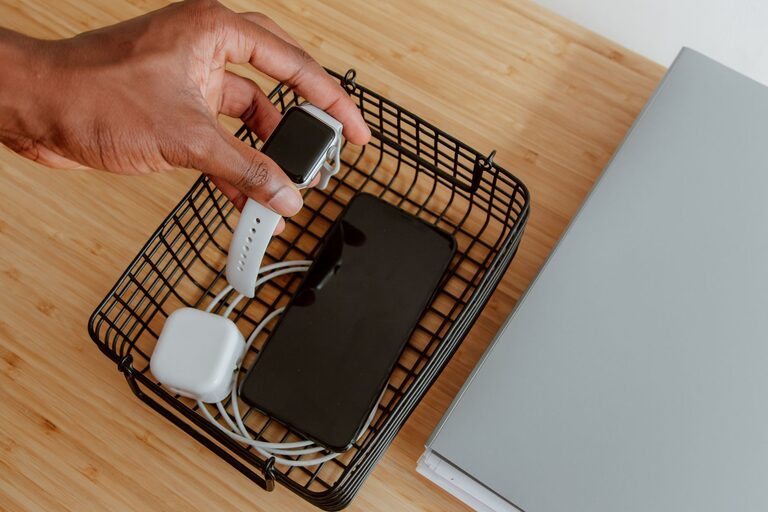
In today’s world, we rely on many electronic devices daily—smartphones, tablets, laptops, smartwatches, and more. Keeping all these gadgets charged and organized can sometimes be a challenge. A dedicated charging station offers a neat, efficient way to keep everything powered up in one spot without clutter or tangled cables. Whether you’re setting up a spot at home or in your workspace, creating a charging station is easier than you might think.
Why Set Up a Charging Station?
Having a specific place where devices are charged helps:
– Avoid clutter and tangled cords
– Keep devices charged and ready to use
– Reduce the risk of losing chargers or cords
– Create a tidy and organized area in your home or office
What You’ll Need
Before setting up your charging station, gather these basics:
– A power strip or multi-port USB charger
– Charging cables compatible with your devices
– A small table, shelf, or dedicated drawer space
– Cable organizers such as clips, ties, or sleeves
– Optional: a charging dock or stand for certain devices
Step 1: Choose a Location
Pick a spot that is easily accessible and convenient for everyone who uses the devices. Common places include:
– A corner of your living room or kitchen counter
– A desk or shelf in a home office
– A bedside table or nightstand
Make sure the location has an electrical outlet nearby or that you can safely plug in a power strip.
Step 2: Select the Right Power Source
A power strip with surge protection is essential to protect your devices from power surges. For multiple device charging, consider these options:
– Multi-port USB charger: Allows several USB cables to plug directly into one wall outlet.
– Charging stations with built-in ports: Some come with USB-C, USB-A, and wireless charging pads.
– Power strip with USB ports: Combines traditional plugs with USB options.
Choose a charger that supports the charging speeds your devices require, especially modern smartphones and tablets that support fast charging.
Step 3: Organize and Manage Your Cables
Cables can quickly become messy. Use cable organizers to keep everything neat:
– Cable clips: Stick these to the charging station surface to hold cables in place.
– Velcro or twist ties: Bundle excess cable length to avoid tangles.
– Cable sleeves: Group several cables together for a cleaner look.
– Label cables: Use small labels to easily identify which cord belongs to which device.
Try to keep charging cables just long enough to reach devices comfortably while avoiding excess slack.
Step 4: Arrange Your Devices
Place your devices neatly around or on the charging station. If you have smartphones or tablets, consider investing in charging stands:
– Vertical stands: Great for viewing notifications while charging.
– Wireless charging pads: Eliminates cables for compatible devices.
– Multi-device docks: Designed to hold and charge several gadgets simultaneously.
Keep frequently used devices closer for easy access. If multiple people use the station, designate spots or use small bins for personal devices.
Step 5: Maintain Your Charging Station
To keep the area functional and tidy, do regular maintenance:
– Unplug devices once fully charged to save energy and protect battery life.
– Dust and clean the area and cables to prevent buildup.
– Remove unused or broken cables or chargers.
– Check for any frayed wires or damaged plugs and replace them.
Bonus Tips for a Smarter Charging Station
– Use a timer or smart plug: Schedule charging during off-peak hours to save energy.
– Add a small basket or tray: To hold earbuds, portable batteries, or smaller accessories.
– Label charging zones: Make it easy for kids or guests to find their device’s spot.
– Consider aesthetics: Match your charging station materials and colors to your room decor for a more pleasing look.
—
Creating a well-organized charging station can simplify your daily routine and reduce tech clutter. With a few tools and some planning, you’ll enjoy a neat, efficient hub where all your devices stay charged and ready to go. Start with your current needs and expand your setup over time as your device collection grows!